| 

將下面的代碼分別用記事本保存為bat或者cmd文件后管理員權限運行即可。注意,也可以通過替換shell32.dll達到修改為傳統菜單的目的,不過容易有后遺癥。
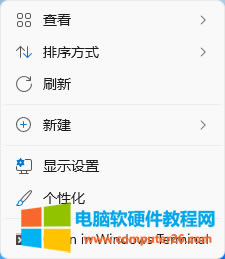
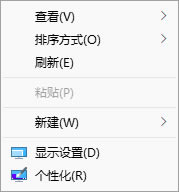
Win11切換舊版右鍵菜單:
- reg add "HKCU\Software\Classes\CLSID\{86ca1aa0-34aa-4e8b-a509-50c905bae2a2}\InprocServer32" /f /ve
- taskkill /f /im explorer.exe & start explorer.exe
Win11恢復回新右鍵菜單:
- reg delete "HKCU\Software\Classes\CLSID\{86ca1aa0-34aa-4e8b-a509-50c905bae2a2}" /f
- taskkill /f /im explorer.exe & start explorer.exe
|